


Traffic Alerts
A high volume of cars, adverse weather conditions, accidents, construction, police activity, water main breaks and over-turned tractor trailers are just some of the causes of congestion we face each day when commuting. Avoid the traffic when you can by having the most complete and up to date information available.
Traffic alerts can be sent to you daily, in real time. It is a free service and you can unsubscribe whenever you wish. The alerts are sent to you as soon as we receive them from the state related agencies. You can receive alerts by email or phone notification (Push). You choose the specific routes and times that you travel most so you can be easily alerted before or during your commute.
Click here to sign up for alerts now
The alerts sign up process is pretty straight-forward.
Here are instructions for how to sign up.
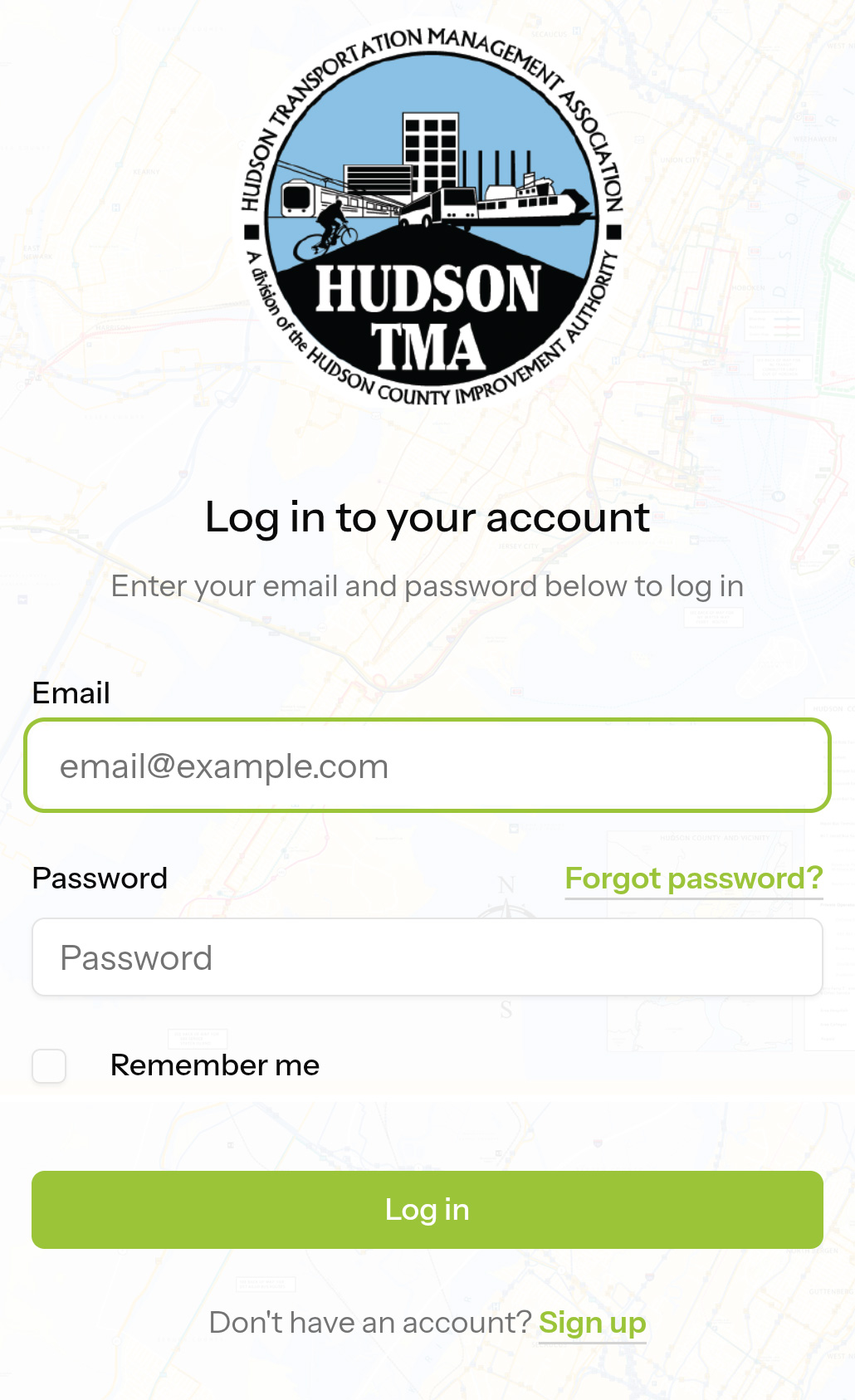
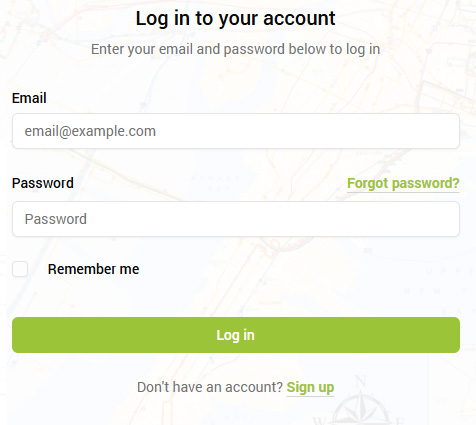
Below the Log in button, click “Sign up”
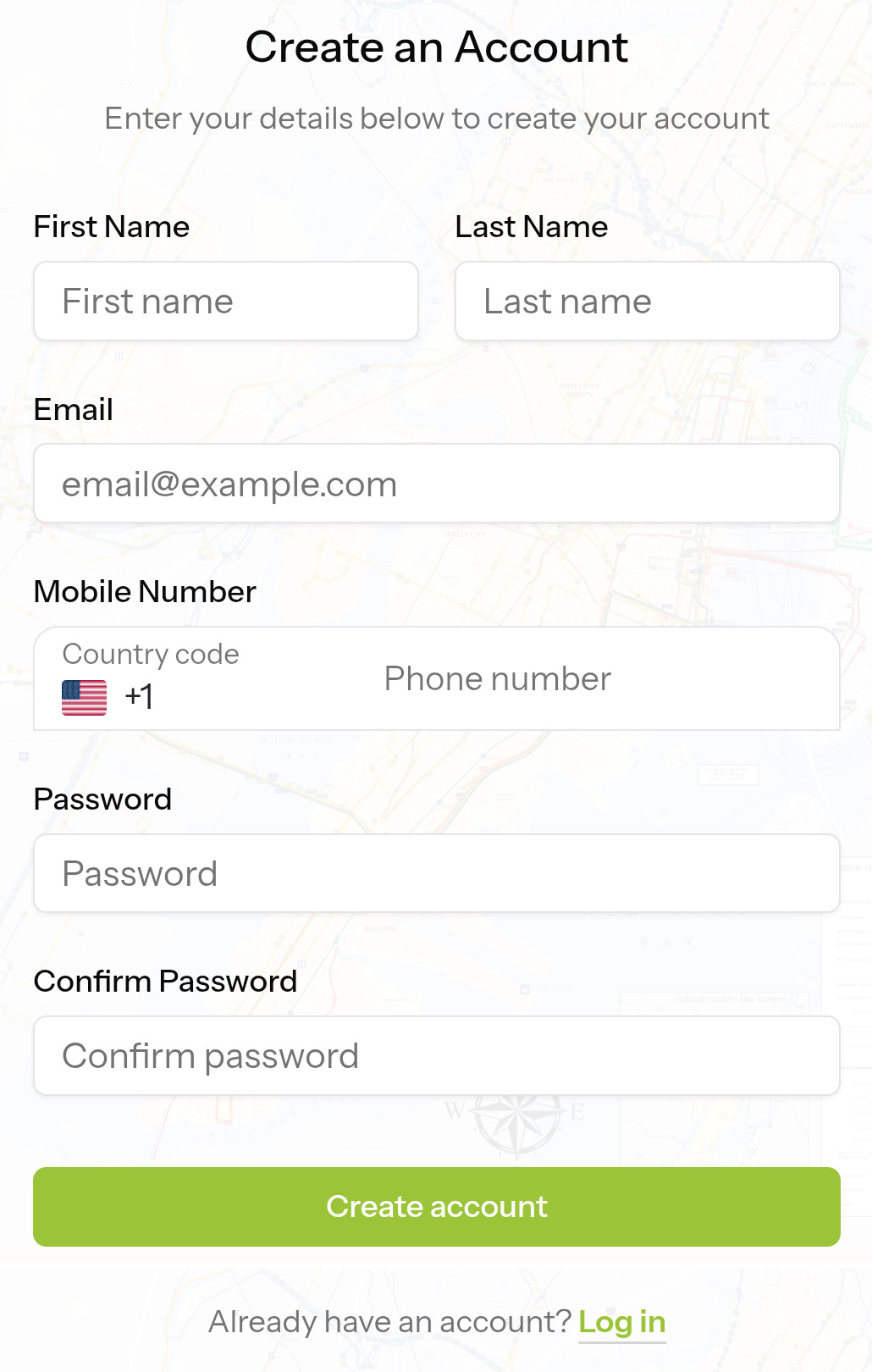
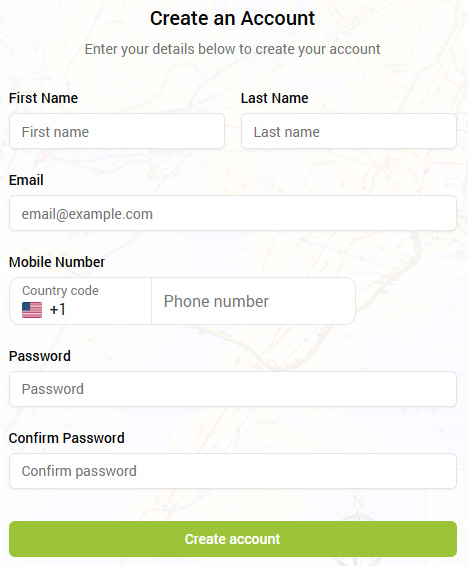
Enter your information and click Create Account
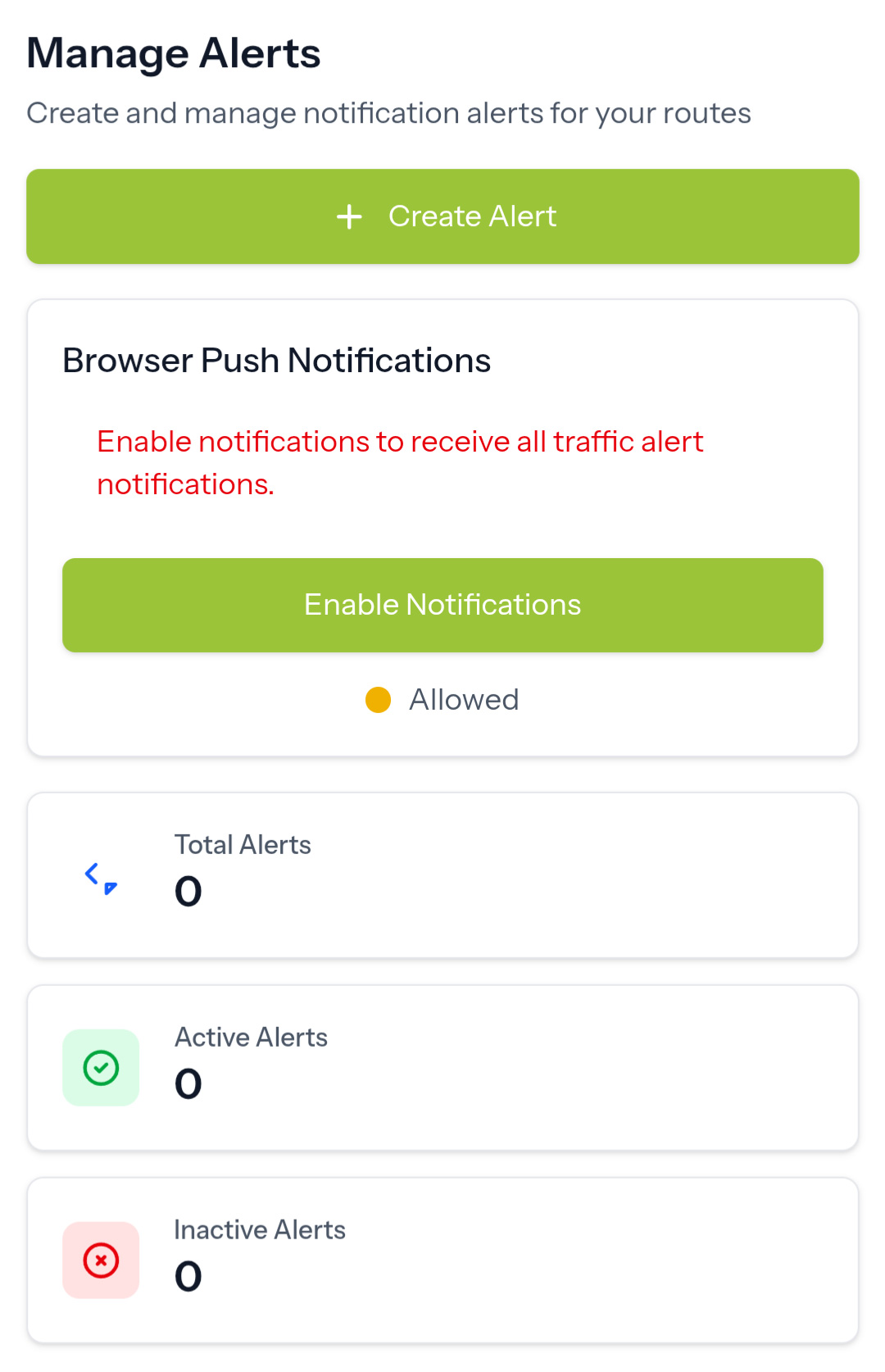
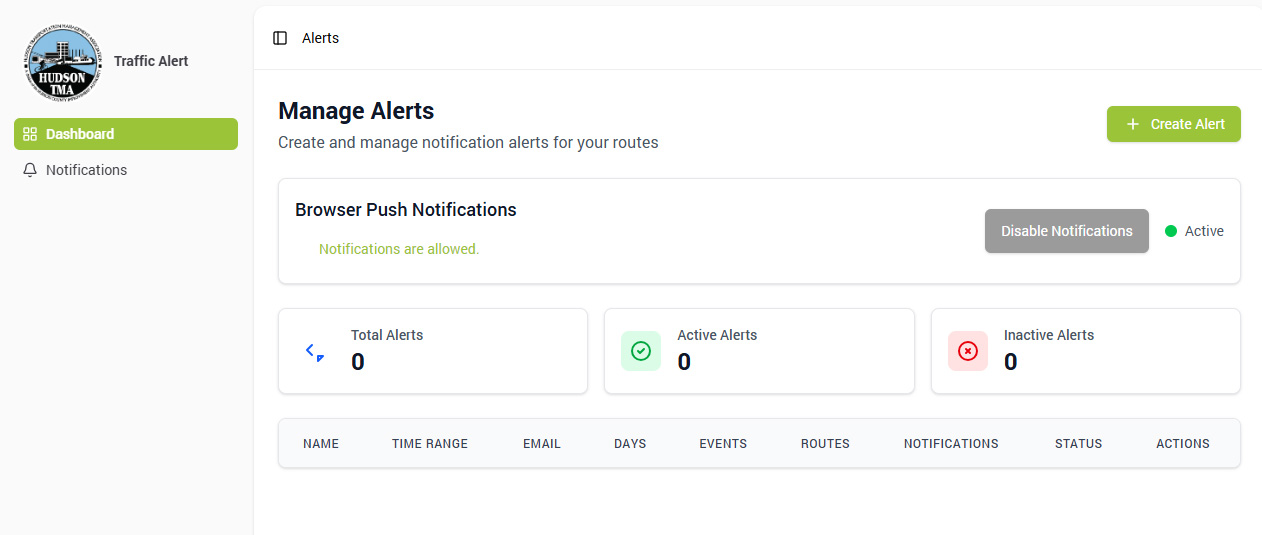
Click the “+Create Alert” button
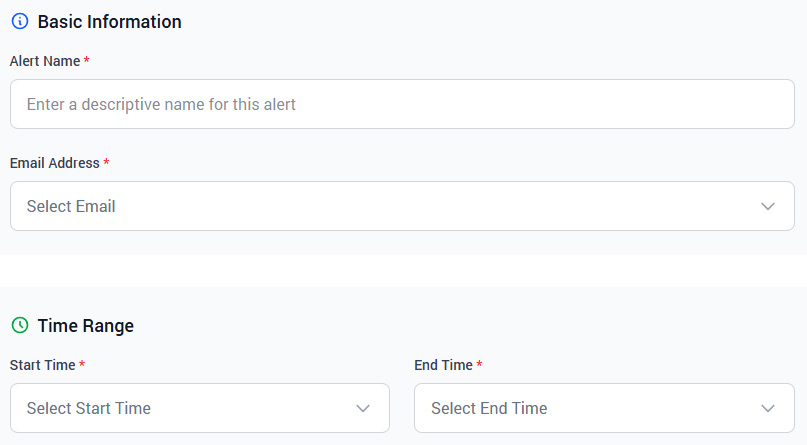
Name your alert, add an email address for receiving alerts, and select the start and end times for your alert.
(For example: If your commute to work is from 8 to 9 am, you might select 7:30 AM as the Start Time and 9:00 AM as the End Time) 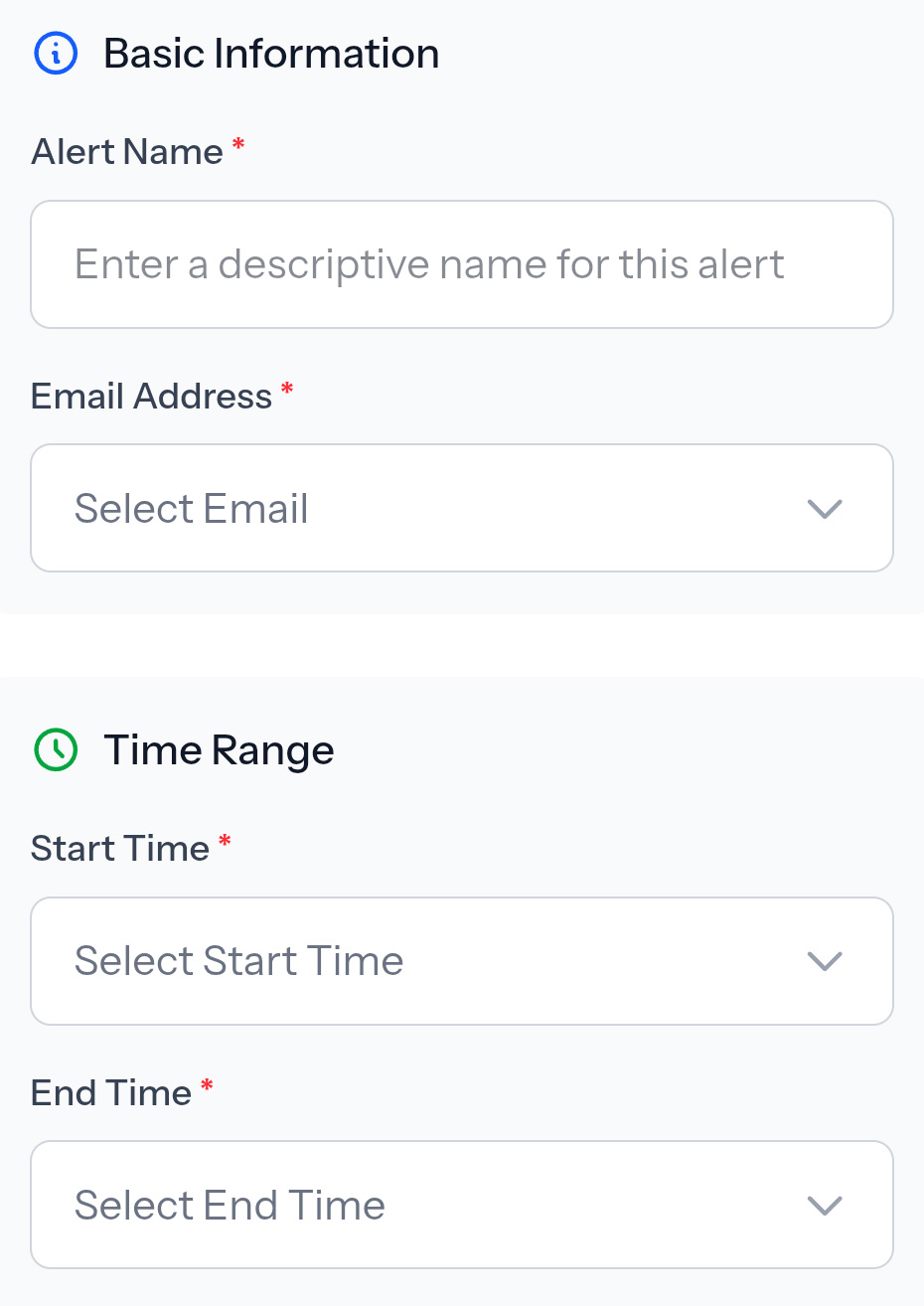
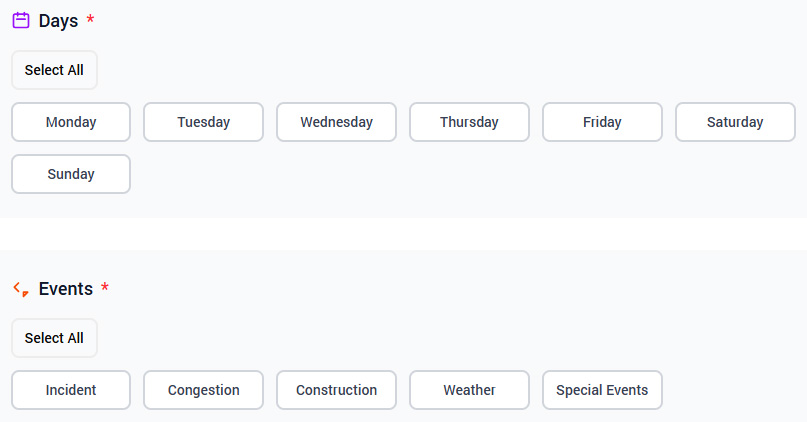
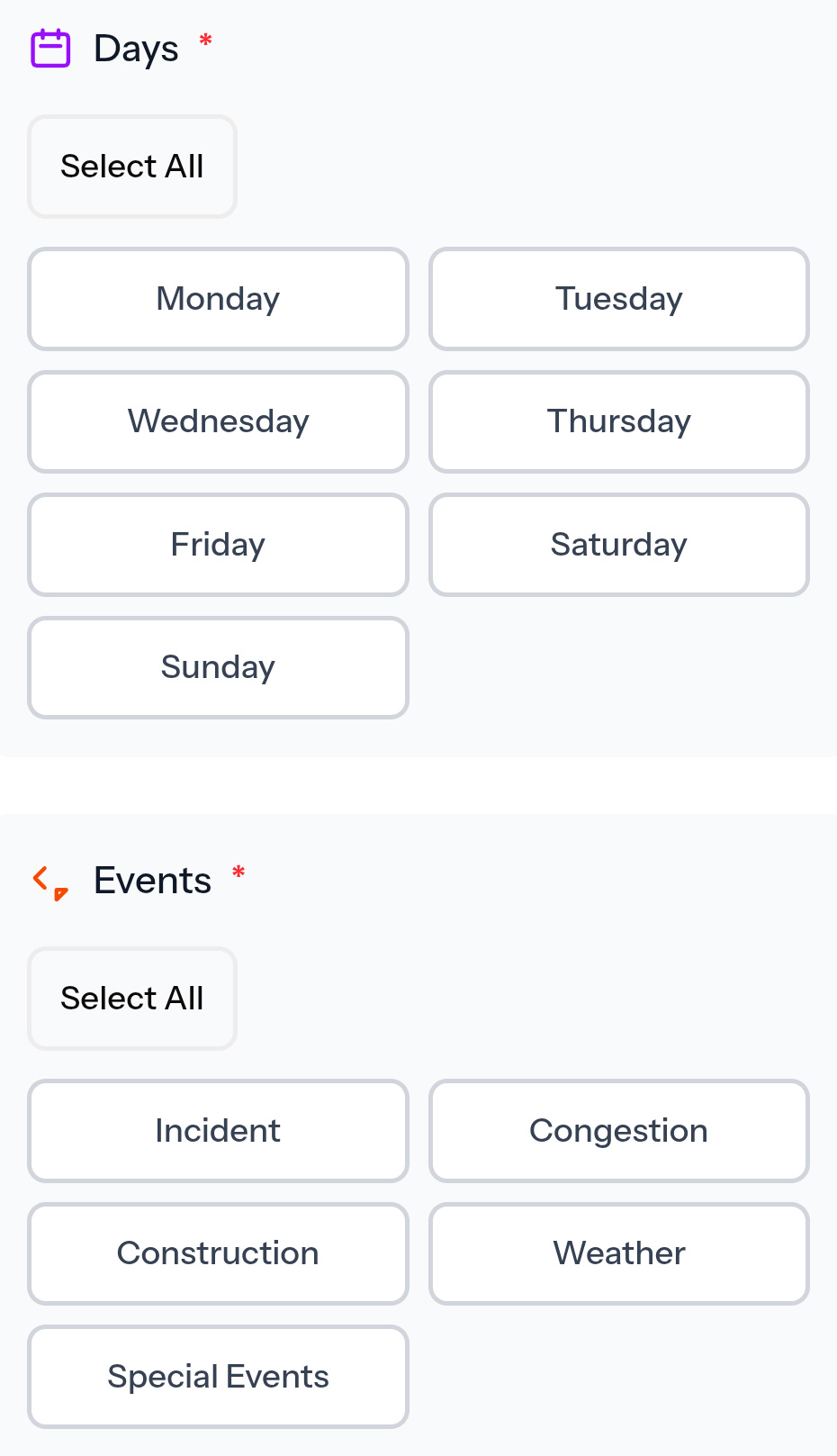
Click the days on which you want to receive the alerts, and then the type of alerts.
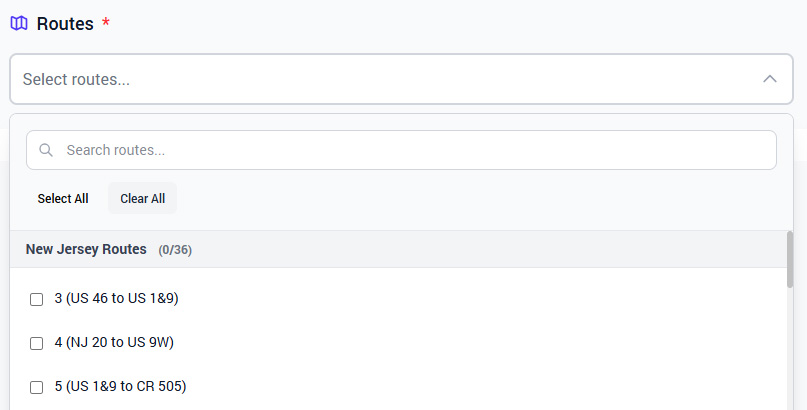
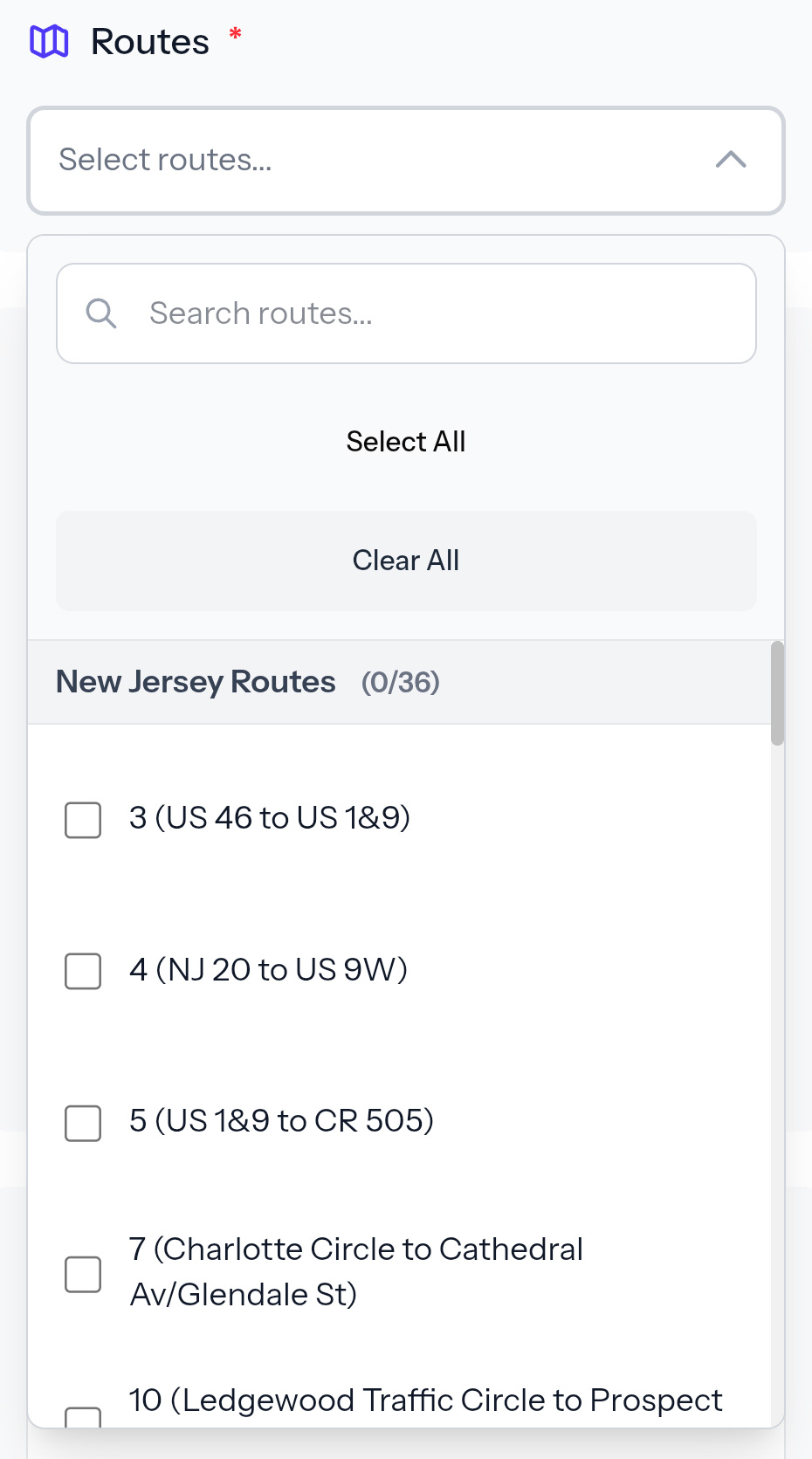
Click “Select routes…” and the click the roads for which you want to be sent alerts.
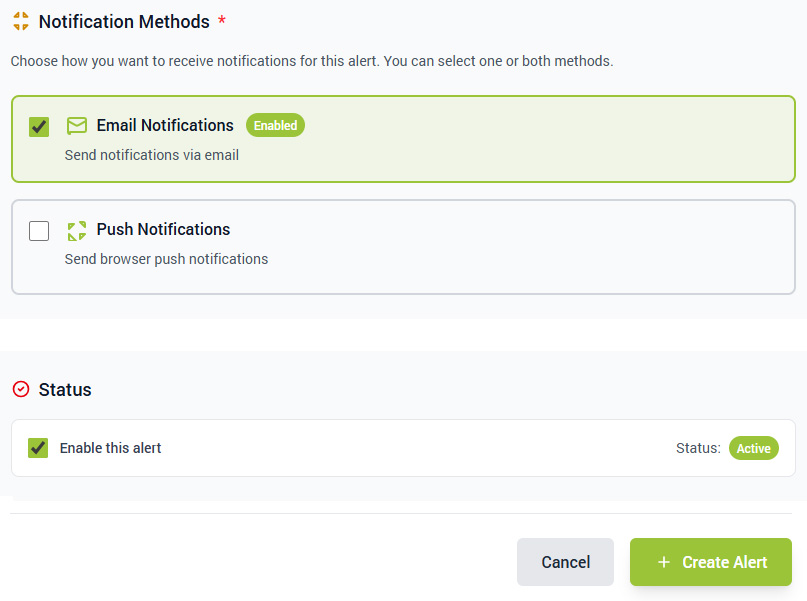
Select the way(s) you’d like to receive the notifications, and then click the “+Create Alert” button at the bottom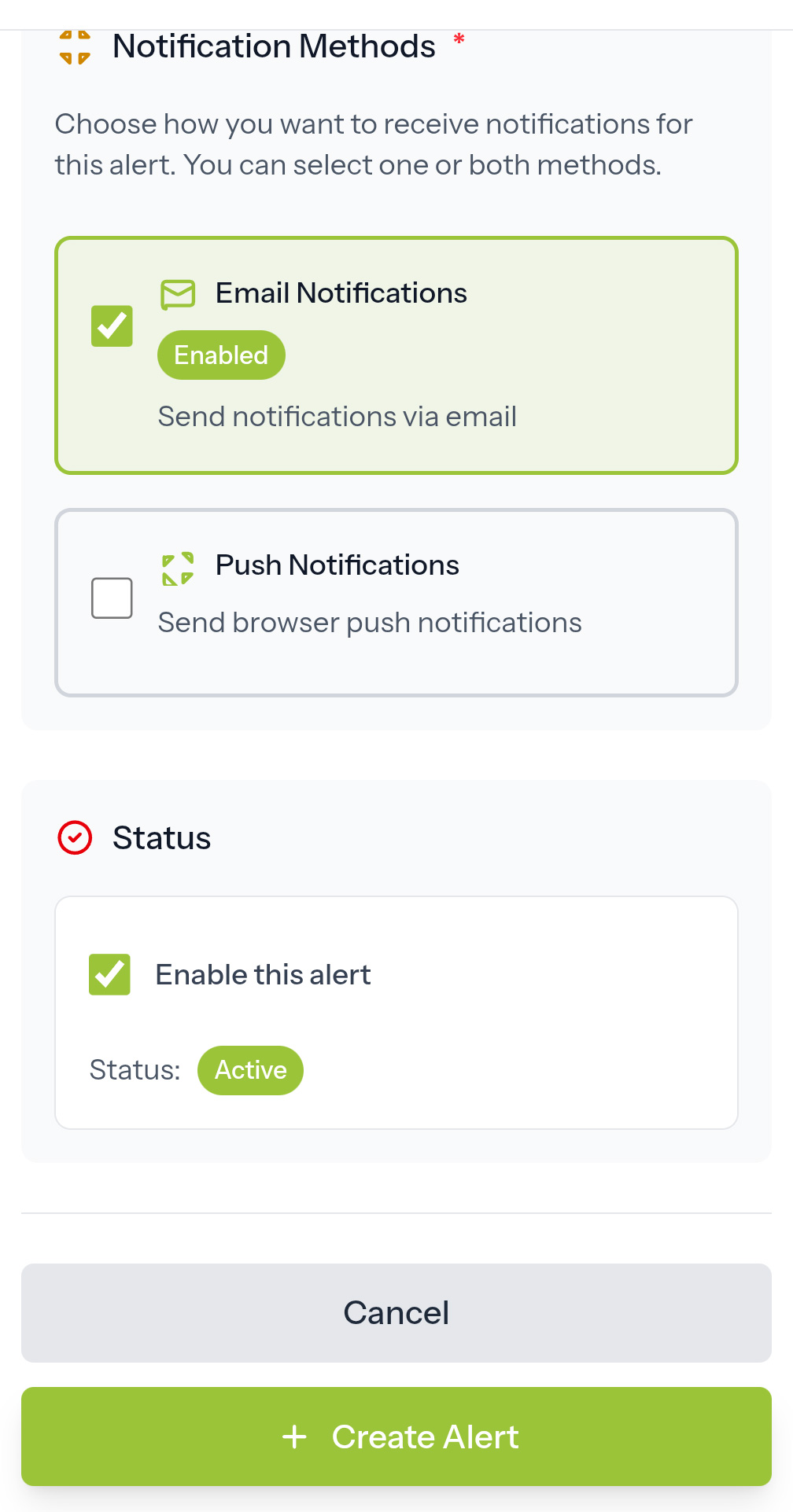
 4. Name your alert, add an email address for receiving alerts, and select the start and end times for your alert.
(For example: If your commute to work is from 8 to 9 am, you might select 7:30 AM as the Start Time and 9:00 AM as the End Time)